
2. Printing Only the Crop Marks
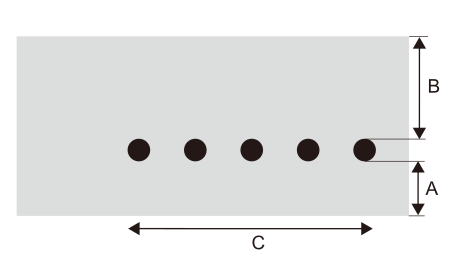
| A | 75 mm (2.95 in.) | B | 130 mm (5.12 in.) | C | Approximately 120 mm (4.72 in.) |
MEMO You can also perform the procedure under Printing Crop Marks in White.
Procedure
- Take the margins into account and set the printing-start position.
- Tap
 .
. - Tap .
- Tap
 next to Separate Test for Printing/Cutting with Crop Marks to turn it on.
 - Tap Execute next to Printing Test.The crop marks are printed.
- Set the margins and separate the media.
- Laminate or otherwise process the separated media as necessary before the cutting output of cutting with crop marks.