Matching Output Colors Between Different Printers (Add-on)
With Matching Different Printer Output Colors, creating simulation profiles and printer profiles (also called media profiles or ICC profiles) requires profile software, while color measurement and profile settings are performed in VersaWorks, meaning multiple software applications are used. The process is also complicated due to the large number of steps required.
To simplify color matching between different printers, an add-on that completes all operations within VersaWorks is available. To use the add-on, the following conditions must be met.
A measurement instrument has been registered in VersaWorks and is available for use.
Printer Color Match (Extended) has been purchased.
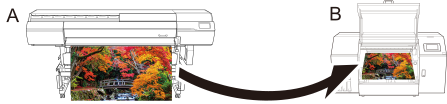
As an example, Printer A is the target printer (color matching source) and Printer B is the printer to be reproduced (color matching destination), and both have been registered in VersaWorks.
IMPORTANTA printer not registered in VersaWorks, such as a third-party printer, can also be used as the target printer (A).
However, if the media is predetermined and you want to improve color accuracy for PANTONE, DIC, etc., it is more efficient to start from 3. Creating a Printer Profile (Add-on).