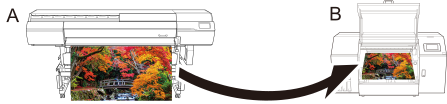
Simulation profiles created on A: a target printer (color matching source) can be used for printing on B: a printer to be reproduced (color matching destination).
Procedure
Add the print data to the job list of the printer to be reproduced.
Use one of the methods below to open the Settings window.
Double-click the job.
Right-click a job, and then click Edit Design - Settings.
With a job selected, click on the left side of the job tool area, and then click Settings.
Click Color Management.
Select Printer Color Match (Extended) for Printer Color Match Settings.
Click Preset.
Click the Color Match Settings for a Different Model tab.

 on the left side of the job tool area, and then click
  Settings.
 Color Management.