
Performing Operation before Printing
Set whether to check the height of the object before starting printing.
Procedure
-
Tap
 .
.
- Tap .
-
Select Operation before Printing from the following.
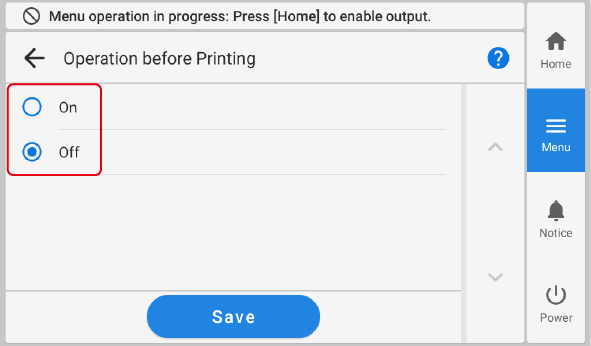
Operation before Printing Description On The flat table moves all the way to the back and then to the starting printing position so that the height of the object to be printed on can be checked before printing begins.
Off The height of the object is not checked before printing.
- Tap Save to confirm your entry.
-
Tap
 to return to the home screen.
MEMO
to return to the home screen.
MEMO- Default setting: Off