
Cleaning Liquid Pouch Replacement Timing
You can check the remaining amount of cleaning liquid from the CL bar on the home screen.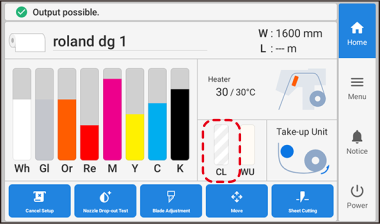
The icons displayed in the bar are shown below.
 : The amount of cleaning liquid remaining is low.
 : The cleaning liquid has run out.
 : The cleaning liquid cartridge has been pulled out.
If is displayed, replace the cleaning liquid pouch.