
3. Registering the Media
Procedure
-
Tap
 Setup.
- Select New.
-
Tap Next.
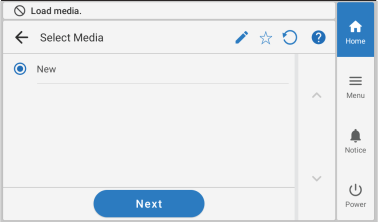
-
Enter a new media name and tap OK.
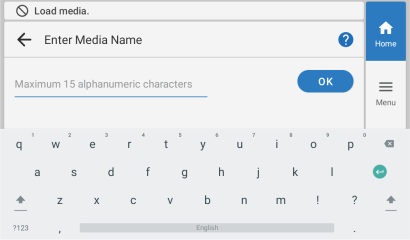
-
Check the name you have entered and tap Next if it is correct.
To make corrections, tap the name you entered.
- The Setup Method screen appears. Select whether to use the take-up unit.
-
Tap Start Setup.
The cutting carriage moves and detects the width of the media and the positions of the media clamps. This operation is called initialization.
- Use Take-up Unit
Proceed to 4. Loading the Media in the Take-up Unit.
- Do Not Use Take-up Unit
Proceed to 5. Configuring Settings to Match the Media.
- Use Take-up Unit
-
If the The media could not be detected automatically.
Manually set the printing area.screen appears, carry out the following procedure.
It may not be possible to detect the media width with highly reflective media. Manually set the media width.MEMO In the case of media where automatic media width detection was not possible after new media was registered, the screen automatically changes to the Printing Area Settings screen in Step (2).
-
Hold down
 or
or  to move the center of the blade (A) approximately 2 mm (0.08 in.) to the inside (B) from the left edge of the right pinch roller.
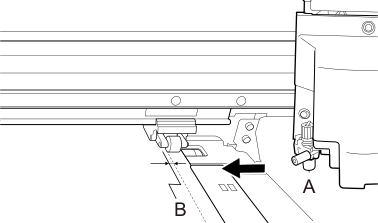
-
Hold down or to move the center of the blade (A) approximately 2 mm (0.08 in.) to the inside (B) from the right edge of the left pinch roller.
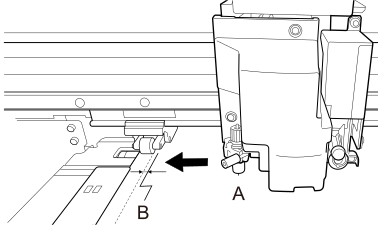
-
Hold down