
Applying Readjusted Flat Table Heights to Registered Media Settings
Use the setting described here to overwrite the registered media settings with the flat table height to which the flat table was readjusted during printing.
This setting is only enabled when Readjust is selected in Clearance Settings.
MEMO
When this setting is set to Enable, you can reduce the time it takes for [Readjust] when printing on the same object without changing the media settings. Print time is reduced, but print quality tends to be lower because the distance between the print heads and the object is lengthened. If print quality is important to you regardless of whether it takes more time to print, disable this setting.
Procedure
-
Tap
 .
.
- Tap .
-
Tap
 next to Maintain Height after Readjustment to change the setting.
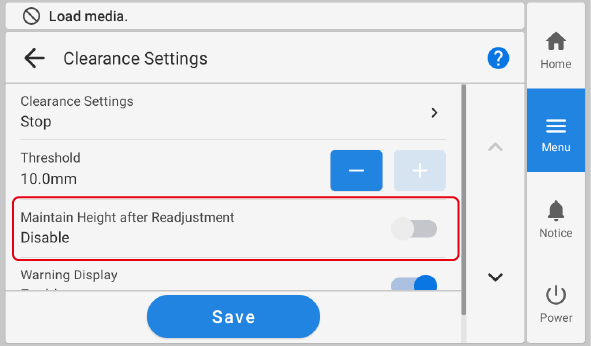
Maintain Height after Readjustment Description Disable: Leaves the registered media settings unchanged. 
Enable: Use the setting described here to overwrite the registered media settings with the flat table height to which the flat table was readjusted during printing. - Tap Save.
-
Tap
 to return to the home screen.
MEMO
to return to the home screen.
MEMODefault setting:
Disable