
1. Setting the Base Printing Position Setting in the Center
This section explains how to set the print origin to the center of the printing area with the base printing position setting. This setting method is appropriate when clear specification of the printing area is difficult or when the print site is curved or uneven.
Printing area setup can be performed with the front cover open.
Procedure
-
Tap
 .
.
- Tap .
-
Select Center.
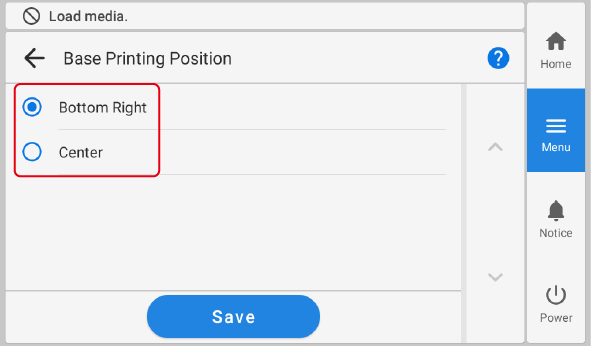
- Tap Save.
-
Tap
 to return to the home screen.
MEMO
to return to the home screen.
MEMO-
Default setting: Bottom Right
-