Crash Sensor
Crash sensors are installed inside the cover of the print-head carriage.
During printing, when there is a chance that the media will collide with the print head due to factors such as the media wrinkling, lifting up, and warping, the machine immediately stops the operation of the print-head carriage.
Procedure
-
Check the PrintExp screen.
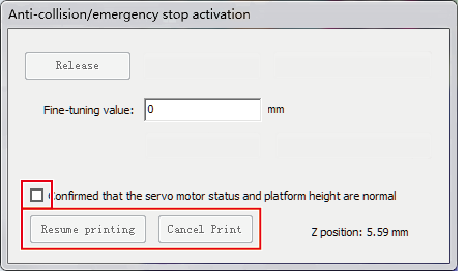
If a crash sensor activates, the Anticollision/emergency stop activation window appears.
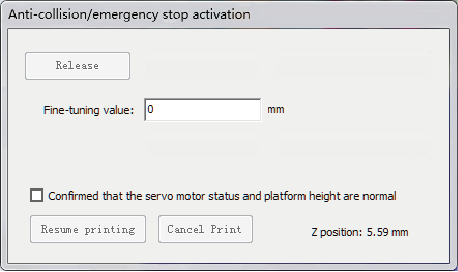
-
Check and correct the cause of the machine operation stop.
- Media wrinkling:
Smooth out the wrinkles and fix the media in place with tape or something similar.
- Media lifting:
Adjust the vacuum so the media does not become lifted, and as necessary fix the media in place with tape or something similar.
- Media warping:
Unless the warping can be corrected, replace the media.
- Media wrinkling:
-
Check the safety of the surrounding area.
Check that there are no persons or objects within the machine movement range, then after confirming safety, proceed to the next step.
-
Perform the operations shown below in the Anticollision/emergency stop activation window.
- Select the confirmed that the servo motor status and platform height are normal check box.
- Click Resume printing or Cancel print.