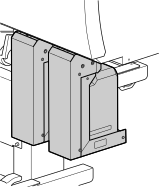
Step 6: Installing the Drain Bottles
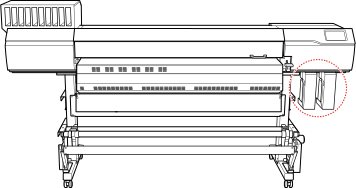
The outside drain bottle is for CMYK and the inside drain bottle is for optimizer.
Procedure
-
In two locations on the right side of the printer unit, connect two tubes to the connectors.
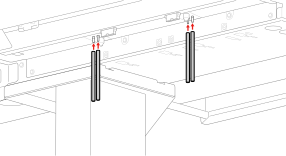
- Insert the drain bottle stand into the grooves (), and then slide it to the right ().
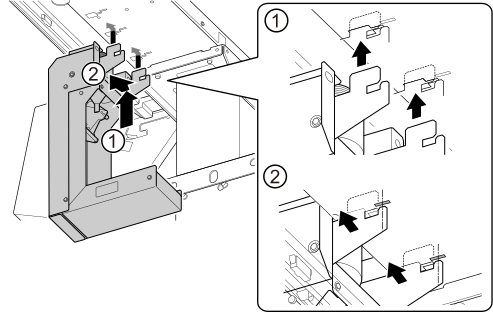
Insert the hooks (A) into the grooves (B), matching the status indicated in the figure.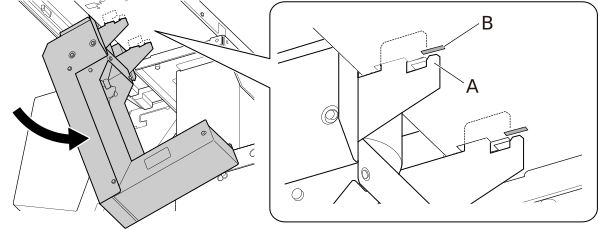
- Insert the tip of the tube into the drain funnel.
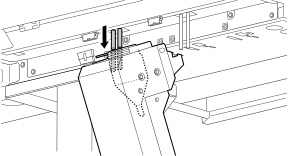
- Connect the drain bottle stand connector to the unit.
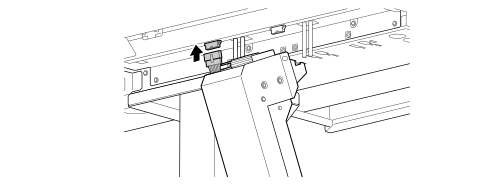
- Stand up the drain bottle stand so it is vertical (), and then slide it to the left ().Stand up the drain bottle stand until the hooks come completely free from the grooves.
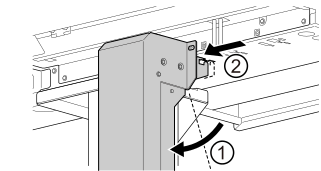
- Fully tighten the two bolts to secure the drain bottle stand.
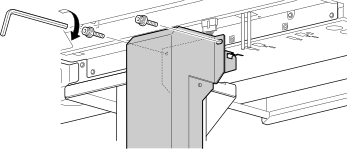
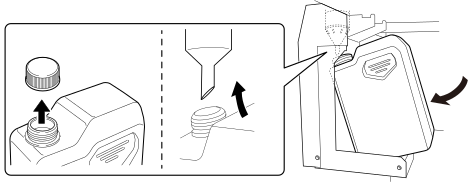
- Install the drain bottle in the bottle stand.Check that the tube is protruding from the tip of the drain funnel, and then install the drain bottle. Insert the tip of the funnel into the opening of the drain bottle as shown in the figure, and then push the drain bottle to slide it to the back.
-
Using the same procedure, install the outside drain bottle stand.
Figure 1. Two drain bottles attached to the machine