
Printing with the Same Top-Bottom Orientation as the Print Data
VersaWorks prints the data rotated 180 degrees in relation to the orientation of the print data. *1
However, with flat-bed models, you may want to place the object on the table according to the user view. By rotating the print data 180 degrees, you can print with the same user view as the print data.
| Print data | Rotate jobs to match the user view: Cleared | Rotate jobs to match the user view: On |
|---|---|---|
 | 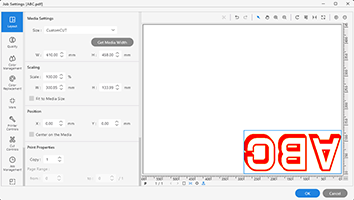 | 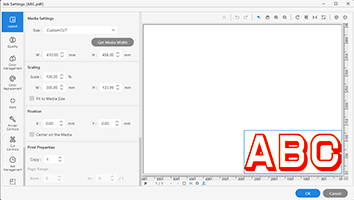 |
Configure this setting on the Queue. If you want to set the orientation for printing for each piece of print data, carry out the procedure under Rotating the Image in the Settings.
Procedure
- Click
 for the queue folder to configure settings.The Queue Properties window appears.
 - Click
 Job Management.
 - Select the Rotate jobs to match the user view checkbox under Action for Incoming Jobs.
- Click OK.
- When a message for saving the printing settings appears, click OK.
To apply the changes to a job already in the queue folder, right-click the job and click .
- Add the print data to the job list.
- Perform printing.