
1. Installing the Media on the Media Holders
Handling roll media is an operation that must be performed by 2 persons or more, and care must be taken to prevent falls.
Attempting to lift heavy media in a manner that taxes your strength may cause physical injury. Also, if dropped, such items may cause injury.
-
Tap the operation panel.
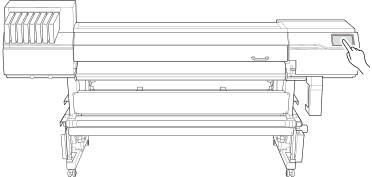
-
When instructions appear on the screen, tap the operation panel again.
The machine sub power is switched on.
-
When using a take-up unit, use the following procedure to set it.
Make sure the following settings match the loading method and output method of the actual media.
The settings will have to be changed from the defaults when:
- When using weak media.
- Taking-up the media with inward curl.
- Taking up the media during cutting process in the Print & Cut mode
-
Tap
 .
.
-
Select Backward or Forward.
Forward The media is taken up onto the paper tube with the printed surface on the outside.
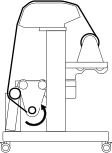
Backward The media is taken up onto the paper tube with the printed surface on the inside. 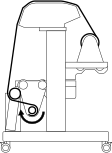 MEMO
MEMO-
Default setting: Forward
-
-
Tap
 to return to the home screen.
-
Check that the dancer roller has lowered toward the rear.
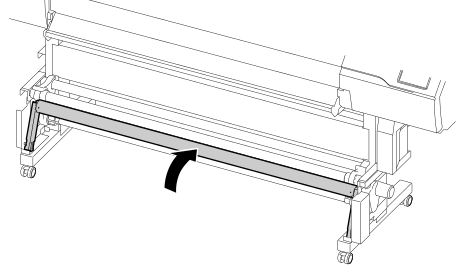
- Open the front cover.
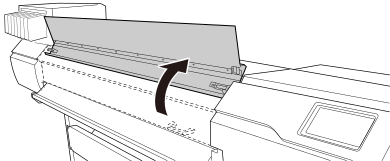
-
Move the media clamps to the outside of the grit rollers on the left and right edges respectively.
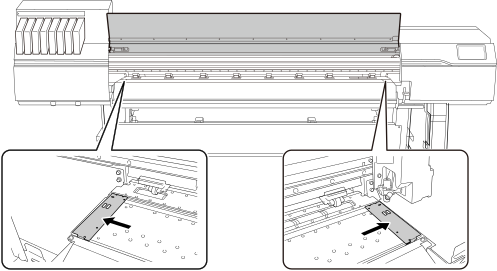
-
Release the locking mechanisms of the media holders, and then draw them to the left and right ends respectively.
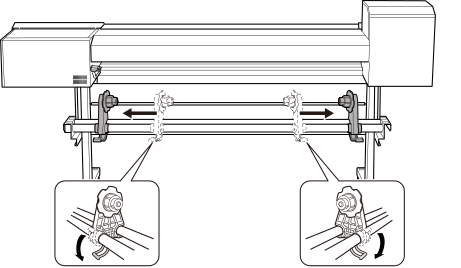
-
Place the media on the machine.
IMPORTANT Do not leave media on the media stays or the shafts for a long period of time. The media may become deformed. Exercise caution.
- Roll media with an outer diameter of 220 mm (8.66 in.) or less
Place the media stays at positions that are 1/4 the length of the media from each end of the media, and then load the media.
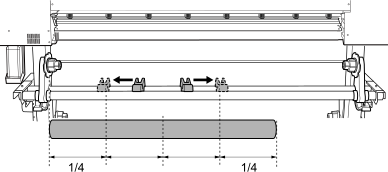
- Roll media with an outer diameter exceeding 220 mm (8.67 in.)
- Rotate the media stays to draw them to the media holders.
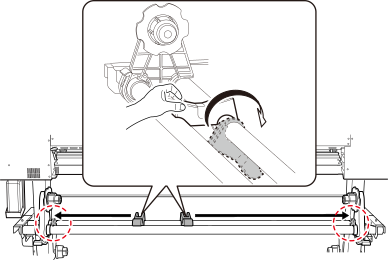
- Place the media directly between the two shafts.
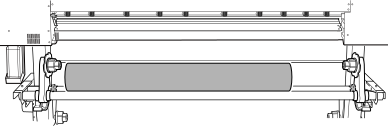
- Rotate the media stays to draw them to the media holders.
- Roll media with an outer diameter of 220 mm (8.66 in.) or less
- Fit the paper tube (core) of the media onto the end cap of the left media holder.
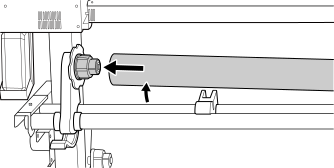
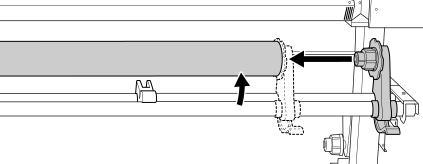
- Move the right media holder to fit its end cap onto the paper tube (core) of the media.
Fit the paper tube onto the media holders securely to prevent the media from moving easily.
IMPORTANT Do not secure the media holders in place just yet.In the following procedure, you will adjust the positions of the media holders before securing them in place. Do not secure them in place just yet.
The next operation to perform varies depending on the media type and the Preferences. Proceed as shown below.
- For general media: 2. A: Determine the positions of the media.
- For transparent media or if is set to Disable: 2. B: Determining the Positions of Media (If Media Edge Detection: Disable)