
Replacing the Wiper Cleaner
Replacement is necessary if the The time for wiper cleaner replacement has arrived. message appears.
For information about purchasing wiper cleaners, contact your authorized dealer or visit our website (https://www.rolanddg.co.jp/).
WARNING
Be sure to perform operations as specified by the instructions, and never touch any area not specified in the instructions.
Sudden movement of the machine may cause injury or burns.
| Required items | |
|---|---|
 |
 |
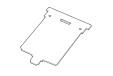
| Wiper cleaner | Tweezers |
IMPORTANT
- To prevent the print heads from drying out, finish this procedure in 10 minutes or less. A warning beep sounds after 10 minutes.
- Take care to prevent ink from adhering to the operation panel.
Procedure
- When the message The time for wiper cleaner replacement has arrived. appears, tap OK.
- Remove any media.
-
Tap
 to display the messages.
-
Tap The time for wiper cleaner replacement has
arrived..
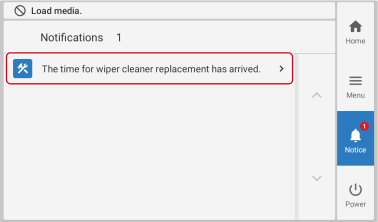 The Wiper Cleaner Replacement screen appears.
 - Tap Execute.
-
Tap OK.
The print-head carriage moves to a location where wiper cleaner replacement is possible.
-
Follow the instructions on the operation panel to replace the wiper cleaner.
- Tap
 or
or  to check the procedure.
 - If you complete the work without viewing the instructions, tap Finish All.
- Tap
- When the wiper cleaner replacement is finished, tap Finish All.
-
When Close the cover. appears, close the right cover.
When you close the right cover, you are returned to the original screen.
-
Tap
 to return to the home screen.