
Cleaning around the Print Heads
The print heads are important components that discharge ink. They require periodic and appropriate maintenance. Cleaning around the print heads is known as "manual cleaning." Be sure to perform manual cleaning in the following situations.
When a message appears
When a message appears, you can tap  on the home screen to check the notification details. Tap the notification to display the manual cleaning menu screen.
When symptoms that cannot be improved with powerful cleaning occur
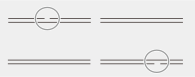
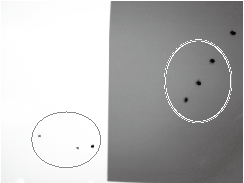
When any of the symptoms given below occur and powerful cleaning is not effective, perform manual cleaning and clean around the print heads.
| Dot drop-out/Dot displacement | Ink drips | Dragging dirt |
 |
 |
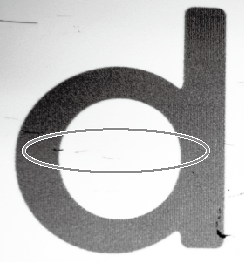 |
| Dust or other foreign matter adheres to the print heads and impedes correct ink discharge. | Ink accumulates on dirty areas around the print heads and drips onto the object. | Dirt accumulates on the area around the print heads and touches the object. |
MEMO
Wiper replacement may also be effective in improving these symptoms.