
Timing of Ink Replacement
When a small amount of ink remains in an ink cartridge
 is displayed next to the corresponding ink on the home screen. It is also displayed if the shelf life is about to expire or has expired.
When an ink cartridge runs out
The message Ink Cartridge Error appears, and  is displayed next to the empty ink cartridge.
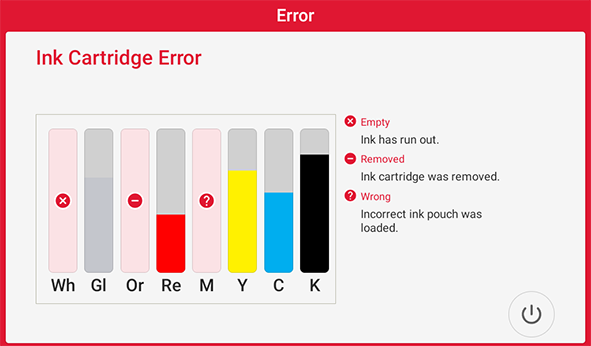
- When an ink cartridge runs out during printing, printing pauses and a warning beep sounds.
Refer to the screen display on the operation panel, pull out the empty cartridges, and insert new ones. Printing resumes.
- Never reuse a pouch within an ink cartridge for which the machine shows a sign indicating no ink.
Occasionally the machine will show a sign indicating no ink even if there is a small amount of ink remaining in the pouch, but nevertheless do not reuse it. Such an ink pouch is in a state where drawing ink from it is impossible. Using it in such a state may force air into the ink path and cause printer malfunctions.
- If an ink cartridge runs out of ink during cleaning, replace the cartridge immediately.
If a certain amount of time passes with Ink Cartridge Error displayed, cleaning will be stopped. Refer to Pump Stop Error and resume cleaning.