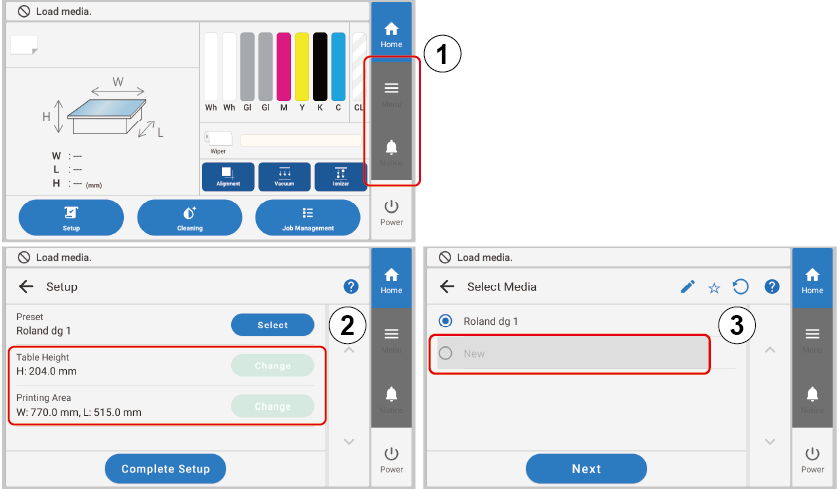
To prevent operators from performing inadvertent panel operations, you can enable Operator Mode to limit Menu and Notifications operations on the home screen. ( in the following figure)
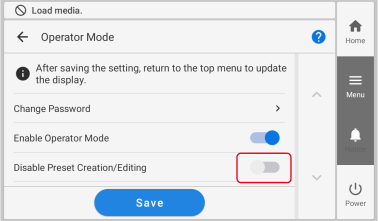
Additionally, you can enable Disable Preset Creation/Editing together with Operator Mode to limit the editing of the Table Height and Printing Area under Preset and the new creation of Preset items. ( and in the following figure)
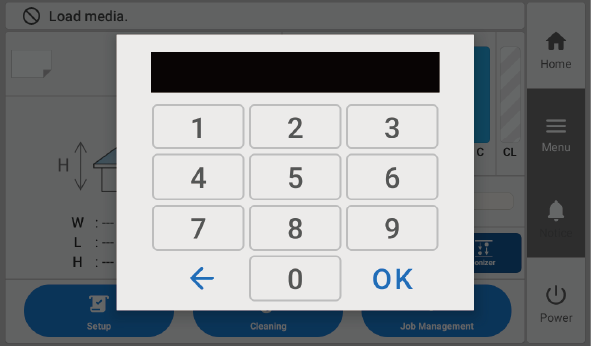
MEMOYou can perform Menu and Notifications operations by entering the password. Tap Menu or Notifications, and then enter the password.
Procedure
Tap .
Tap Preferences - Operator Mode.
Tap next to Enable Operator Mode to switch the setting.
Disable
Enable
You can set Disable Preset Creation/Editing when Operator Mode is enabled.
Tap Save… to confirm your entry.
You are returned to the home screen.
MEMO
Default settings
Password: 0000
Enable Operator Mode:
Disable Preset Creation/Editing:
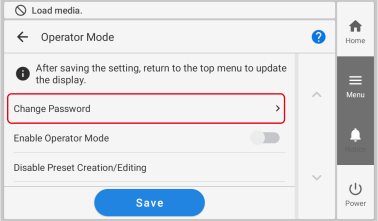
To change the password
Tap Change Password on the screen in step 3.
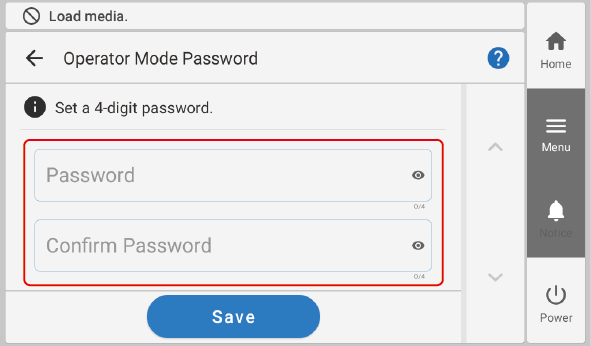
On the Operator Mode Password screen, enter a new four-digit password, and then enter the same password again for confirmation.

 .
.
 next to Enable Operator Mode to switch the setting.
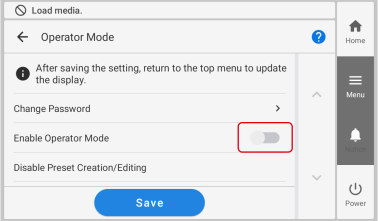 You can set Disable Preset Creation/Editing when Operator Mode is enabled.