Setting the Activation Interval for Sleep Mode (Power-saving Feature)

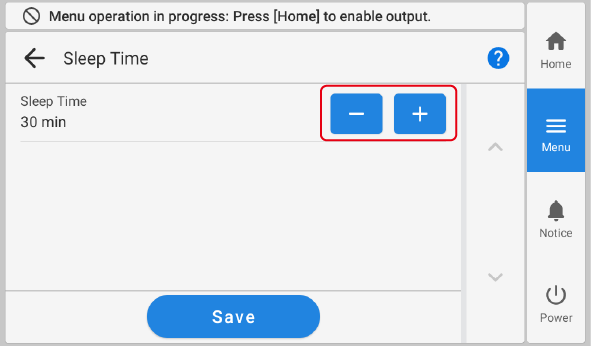
This setting is used to set how long it should take until the machine goes into sleep mode (the state in which the power-saving feature is working) when no output data is received and no operations are performed for a continued length of time.
Procedure
  1. Tap Panel_Icon_Menu.
  2. Tap Preferences - Sleep Time.
  3. Tap Panel_Icon_Minus or Panel_Icon_Plus to set the time.
    Sleep
    Sleep Time Description

    15 to 120 min*1

    The machine goes into sleep mode (state in which the power-saving feature is active) when no output data is received and no operations are performed for a set amount of time.

    *1 Increase or decrease in 15 minute increments.
  4. Tap Save to confirm your entry.
  5. Tap Panel_Icon_Home to return to the home screen.
    MEMO
    • Default setting: 30 min.