
Adjusting the Suction Force
Procedure
- Set up the object to be printed on.
- Make sure that Vacuum is turned On on the home screen of the operation panel.
-
Tap
 .
.
- Tap .
-
Tap
 and
and  to set the media suction force.
Each tap increases or decreases the suction force by 10%.
to set the media suction force.
Each tap increases or decreases the suction force by 10%.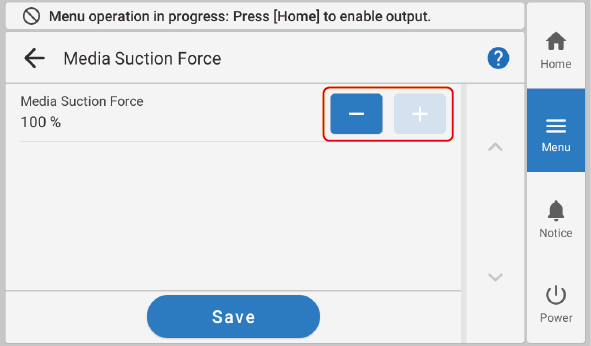
- Tap Save to confirm your entry.
-
Tap
 to return to the home screen.
MEMO
to return to the home screen.
MEMO- Default setting: 100%