
Step 2: Checking the Settings of the Machine to Connect
Procedure
-
If the machine is off, press the power button to start the machine.
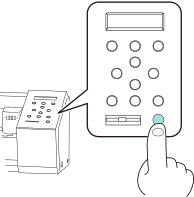
-
Press MENU twice to display the screen shown below.

-
Press ▼ once to display the screen shown below.

-
Press ▶ once to display the screen shown below.

-
Press ▼ three times to display the screen shown below.

-
Press ▶ twice to display the screen shown below.

If DHCP is set to OFF, press ▶, then ▼ to set DHCP to ON, and then press ENTER.
-
Press ▼ once to display the screen shown below.

- Press ▶ once.
- Make a note of the displayed IP address.
- Press MENU to return to the original screen.
- Repeat steps 1 to 10 to check the settings of the second machine.