
Overview of Tiled Output
When data is larger than the cuttable range, the data is divided into multiple pieces of material to be output.

IMPORTANT Tiled output is unavailable for Print & Cut data.
Overlap function
To avoid gaps when connecting different pieces of material, the border of each tiled output piece can have extra cut area. The extra part that is cut is called the overlap (). You can set the overlap as required.
- Without overlap: Gap between borders when pieces are connected

- With overlap: No gap between borders when pieces are connected
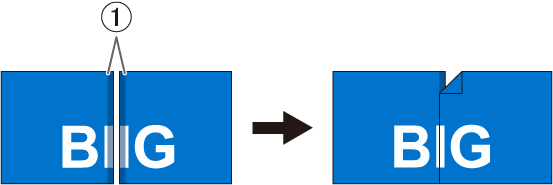
The settings for dividing and for overlapping are configured in VersaWorks. For details, refer to the VersaWorks Master Guide.