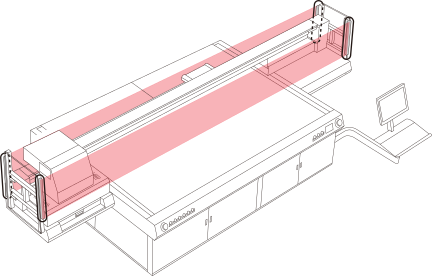
If the machine detects that a person or object has intruded into the movable range of the print-head carriage while the machine is operating with the print-head carriage not positioned above the maintenance station, the machine immediately stops operation. This function prevents contact with the print-head carriage, which moves at high speed.
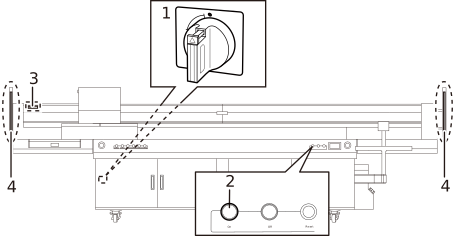
When all the following conditions are met, the safety protection function activates.
The main power switch (1) is set to the on position.
The sub power switch (2) is set to the on position.
The auto switch (3) is set to the on position.
The print-head carriage is not positioned above the maintenance station.
When a person or object enters the detection areas of the proximity sensors (4), the machine immediately stops operation.
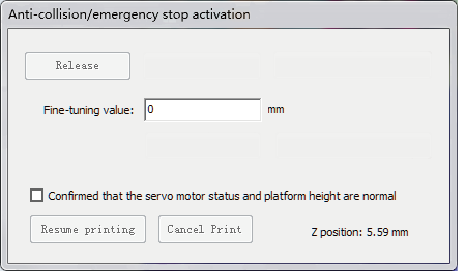
When the machine stops operation, the Anti-collision/emergency stop activation window is displayed on the screen of the computer connected to the machine.
Recovering from the stopped operation state
Eliminate the cause of the machine stopping operation, and then check that the area around the machine is safe.
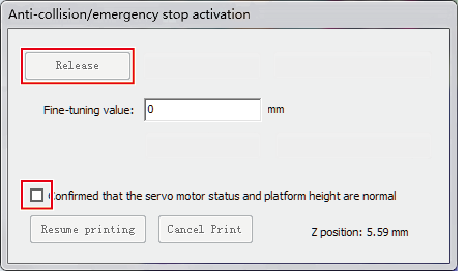
Select the checkbox in the Anti-collision/emergency stop activation window. Next, click Release to recover the machine from the stopped operation state.