
Evenly Placing Multiple Objects
This section introduces how to align multiple objects so they are evenly placed relative to the desired position reference.
Procedure
-
Select multiple objects.
Either hold down the [SHIFT] key as you click the objects or drag the mouse to enclose all the objects.
-
On the function toolbar, click
 Align.
The operation panel is displayed on the right side of the window.
Align.
The operation panel is displayed on the right side of the window.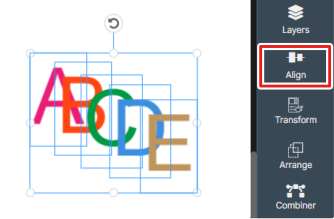
- Select In Selection for Align To.
-
Evenly place the objects.
- Distribute Spacing: Aligns the objects so the spacing between them is equal in the specified direction within the selected area.
- Distribute Objects: Aligns the objects so they are evenly placed within the selected area based on the reference line (up/down, left/right, center) of the specified object.