
Performing a Design Review
When you receive a design review request, a notification is displayed on the  icon. Check the details of the requested design, add comments, and approve the design.
Procedure
- Open on the dashboard.
- Select the design to check.
-
Check the design.
To add a comment, perform the following operations.
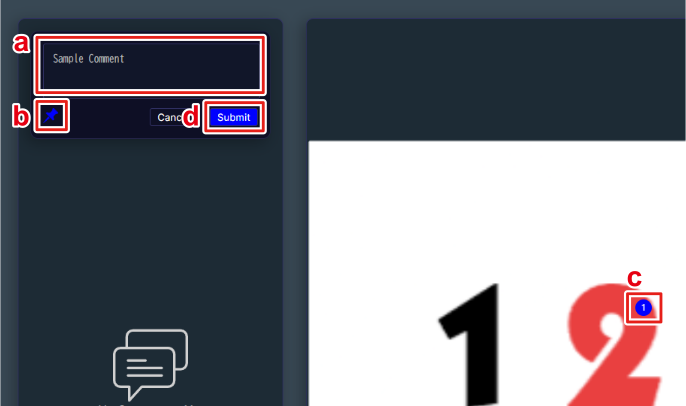
- Enter the comment.
- Click
 .
. - Click anywhere on the design to place the pin.
- Click Submit.
Review comments are saved automatically and are shared with the person who requested the review.
You can click a saved comment to reply to or add a comment in the target location. To reposition a pin that has been placed on the design, drag the pin.
- Click Back.