
Managing Created Designs
Procedure
-
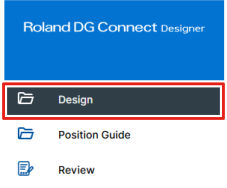
From the dashboard, click Design.
-
Manages the designs or templates you have created.
Saved designs and templates can be managed with the My Designs and My Templates tabs.
Click the
 icon for each design or template to edit it, manage it, print it, and perform similar operations for it. If you are using a paid module, you can download files in PDF format.
You can also click Print to send the print job directly to VersaWorks without opening the design window.
It is a good idea to manage your designs and templates with appropriate names and tags so that you can easily search for them.
MEMO
If the amount of saved data reaches the upper limit, you will not be able to create a new design. Perform the following actions to increase the amount of available storage.
Purchase additional storage to increase the Total Storage.
https://connect.rolanddg.com/#/setting/storage-management- Delete existing designs and templates.
- Delete uploaded files from .