
Requesting a Design Review
This section introduces how to request another user to review the design that you have created. The reviewer can add comments, approve the design, and share the details of corrections between the relevant parties.
Procedure
- Open the design for which you will request a review.
-
Click
 Send For Review at the top of the window.
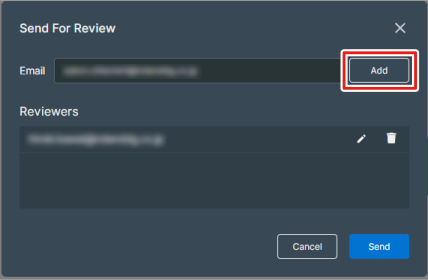
The Send For Review window appears.
Send For Review at the top of the window.
The Send For Review window appears. -
Enter the email address of the reviewer and click Add.
The destination for the review request is added to the Reviewers list.
-
Click Send.
A design review request email is sent to the specified email address. You can use on the dashboard to check the status of reviews that you have requested.