
Step 1: Removing Media and the Blade Holder
MEMO The procedure for replacing the blade is displayed on the operation panel, but this section only describes the work for removing the blade.
Procedure
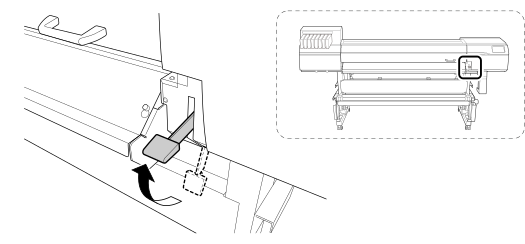
- Remove any media.MEMO If no media is loaded, raise the loading lever.
-
Tap
 .
.
-
Tap .
The Blade Replacement screen appears.
-
Tap Execute.
The cutting carriage moves to a position where blade replacement is possible.
- When Open the front cover. appears, open the front cover.
- Detach the blade holder.
- Tighten the screw.
- Tap Finish All.
- Close the front cover.