
1. Configuring the Initial Settings
Procedure
-
Switch on the main power switch.
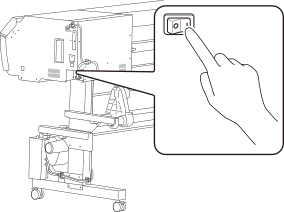
-
Tap the operation panel.
The Tap to display the screen. screen appears.
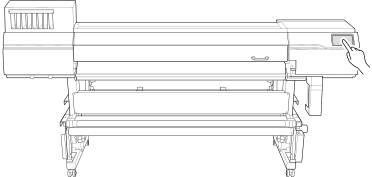
-
Tap the operation panel within 10 seconds of the Tap to display the screen. screen appearing.
The sub power turns on, and the Language screen appears.
-
Tap English, and then select the language.
MEMO Default setting: English
- Tap OK.
- Tap Save.
-
Tap Length and Temperature on the Units screen to set the units for each.
MEMO Default setting
- Length: mm
- Temperature: °C
- Tap Save.