
Mac
The procedure introduced here applies to the following Mac version. Even with the same version, the operation steps, button names, and window titles may differ depending on the OS build.
- Mac: macOS 15.2
Procedure
- Log on to the Mac as the Administrator.
- From the Apple menu, click System Settings....
- Click or the name of the network (when using Ethernet).
- Click Details....
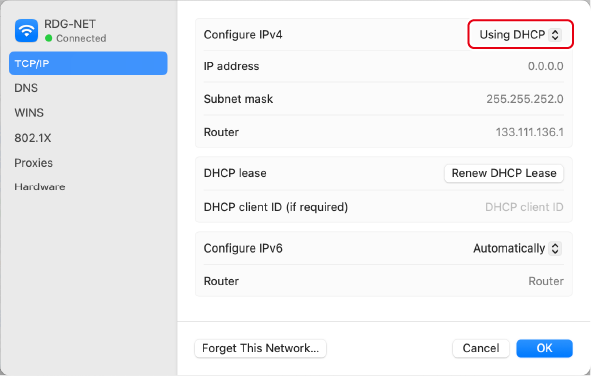
- Click TCP/IP.
-
Make sure that Using DHCP is selected under Configure IPv4.
If Manually is selected, change it to Using DHCP.
- Click OK.