
UV Lamp Manual Cleaning Method
Important notes on this procedure
- Before performing this operation, remove any objects.
- The cloths, alcohol, and similar items used in cleaning are not included with the product.
- Do not apply cleaning liquids such as alcohol directly to the glass surface of the UV device. Instead, use a cloth soaked in the liquid for cleaning.
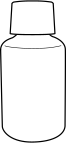
| Required items | |
|---|---|
 |
 |
| Anhydrous ethanol or isopropyl alcohol | Cloth (that is not fluffy) |
Do not perform cleaning immediately after printing has finished. (Wait approximately 15 minutes after printing finishes.)
The area around the UV-LED device is hot and may cause burns.
When using anhydrous ethanol or isopropyl alcohol, be sure to follow the product's usage precautions.
Exercise caution regarding items such as fire, ventilation, and skin irritation.
Only use anhydrous ethanol or isopropyl alcohol.
Using chemicals (or similar substances) other than anhydrous ethanol or isopropyl alcohol may lead to UV-LED device damage.
Use cloth that is not fluffy to wipe off the parts. Do not use a hard material such as metal.
Using cloth that is fluffy or a hard material such as metal may lead to UV-LED device damage.
-
If an object is installed, remove it.
-
Open the front cover.
MEMO
Be sure to hold the handle of the front cover and keep holding it until the cover is completely opened or closed.
If you do not open and close the front cover gently, it may break or you may be injured.
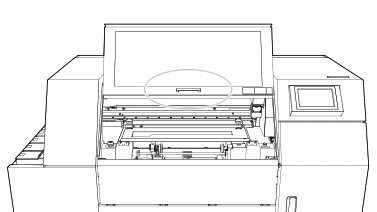
-
Open the front cover.
-
Tap
 .
.
- Tap .
-
Tap Execute.
A message urging the user to wear protective equipment appears.When wiping the irradiation window (glass plate) on the UV-LED device, wipe the window for approximately 10 round trips until all the dirt is cleared away. Do not drip anhydrous ethanol or isopropyl alcohol directly onto the UV-LED device.
-
Follow the instructions on the operation panel to perform the work.
After finishing the work as instructed on the screen, tap
 to display the next step. In this manner, perform each step of the work in order. If you want to check the previous step or perform it again, tap
  .
.When you finish the last step, tap Finish All. When UV lamp manual cleaning finishes after this work, the cleaning is finished.
-
Tap
 .
The home screen appears.
.
The home screen appears.