
Replacing the Flushing Sponges
Replacement is necessary if the The time for flushing sponge replacement has arrived. message appears.
IMPORTANT To prevent the print heads from drying out, finish this procedure in 10 minutes or less. After 10 minutes, the alarm will sound, so pause the procedure and perform the following operations.
- Close all the covers.
- Tap Finish All to finish the work.
- Restart the procedure from the beginning.
IMPORTANT If the flushing sponge is not replaced after the message appears, the flushing sponge may not sufficiently absorb ink or cleaning liquid, resulting in discharged fluid overflowing.
WARNING
Be sure to perform operations as specified by the instructions, and never touch any area not specified in the instructions.
Sudden movement of the machine may cause injury or burns.
| Required items | |
|---|---|
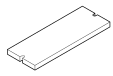 |  |
| Flushing sponge | Tweezers |
Procedure
- When the message The time for flushing sponge replacement has arrived. appears, tap OK.
- Remove any media.
- Tap
 to display the messages.
 - Tap The time for flushing sponge replacement has arrived..The Flushing Sponge Replacement screen appears.
- Tap Execute.
- Follow the instructions on the operation panel to replace the flushing sponge.
- Tap
 or
or  to check the procedure.
 - If you complete the work without viewing the instructions, tap Finish All.
- Tap
- When the flushing sponge replacement is finished, tap Finish All.