
Cleaning the UV-LED Device
- Before attempting this operation, remove any media.
- To prevent the print heads from drying out, finish this procedure in 10 minutes or less.
- The cloths, alcohol, and similar items used in cleaning are not included with the product.
When a warning beep sounds during cleaning
A warning beep sounds 10 minutes after operation starts. Stop work, close all the covers, and then tap Finish All. After that, restart the procedure from the beginning.
| Required items | |
|---|---|
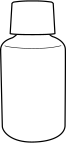 |  |
| Anhydrous ethanol or isopropyl alcohol | Cloth (that is not fluffy) |
Do not perform cleaning immediately after printing has finished. (Wait approximately 15 minutes after printing finishes.)
The area around the UV-LED device is hot and may cause burns.
When using anhydrous ethanol or isopropyl alcohol, be sure to follow the product's usage precautions.
Exercise caution regarding items such as fire, ventilation, and skin irritation.
Only use anhydrous ethanol or isopropyl alcohol.
Using chemicals (or similar substances) other than anhydrous ethanol or isopropyl alcohol may lead to UV-LED device damage.
Use cloth that is not fluffy to wipe off the parts. Do not use a hard material such as metal.
Using cloth that is fluffy or a hard material such as metal may lead to UV-LED device damage.
- Remove any media.
- Tap
 on the operation panel.
 - Tap .
- Tap Execute.
- Follow the instructions on the operation panel to perform the work.
After finishing the instructed work, tap
 to display the next step. In this manner, perform each step of the work in order. If you want to check the previous step or perform it again, tap
  .
.When you finish the last step, tap Finish All. When print-head cleaning finishes after this work, the cleaning is finished.
- Tap
 .You are returned to the home screen.