
Setting the Front Heater Temperature
Setting the temperature of the front heater appropriately minimizes temperature changes in the media during and after printing, thereby preventing the media from coming loose.
When the sub power is on, the front heater rises to the Standby Heater Temperature (off by default). On completion of media setup, the temperature rises to the value set for Front Heater.
Depending on the usage environment, the temperature of the dryer may become higher than the set temperature, but this does not represent a problem.
Temperature settings are not possible when Front Heater accessed from is off.
- Set up the media.
- Tap the following location on the home screen.
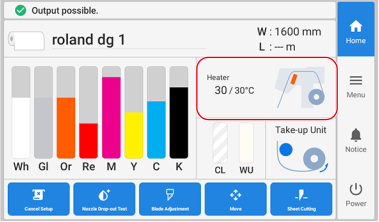 The Heater Temperature window appears.
 - Check that Front Heater is turned on (
 ).
). - Tap
 or
or  to set the Front Heater temperature.A temperature that is too high may degrade the media or cause it to wrinkle.
 - Tap Save to confirm your entry.
- Tap
 .You are returned to the home screen.MEMO
Default settings
- Heater Power: On
- Front Heater: 30°C
Depending on the RIP software you are using, you can also configure this setting in the RIP software. If you have configured the setting in the RIP software, the RIP software setting is used.