
Step 5: Installing VersaWorks from Roland DG Connect Hub
Use Roland DG Connect Hub to install VersaWorks.
Procedure
- Start Roland DG Connect Hub.
- Windows
Click the Roland DG Connect Hub icon (
 ) in the notification area.
 - Mac
Click the Roland DG Connect Hub icon (
) in the Dock.
IMPORTANT When using Windows, if the Launch Roland DG Connect Hub checkbox was cleared in the Roland DG Connect Hub setup wizard, start from Start after setup is completed. - Windows
- In the main window, select the machine to use.IMPORTANT
If the printer to register cannot be found, see the "Roland DG Connect Help."
https://support.rolanddg.com/hc/en-us/categories/6469527154585-Roland-DG-Connect
- Click the VersaWorks icon
 .
.The sidebar is displayed on the right side of the window.
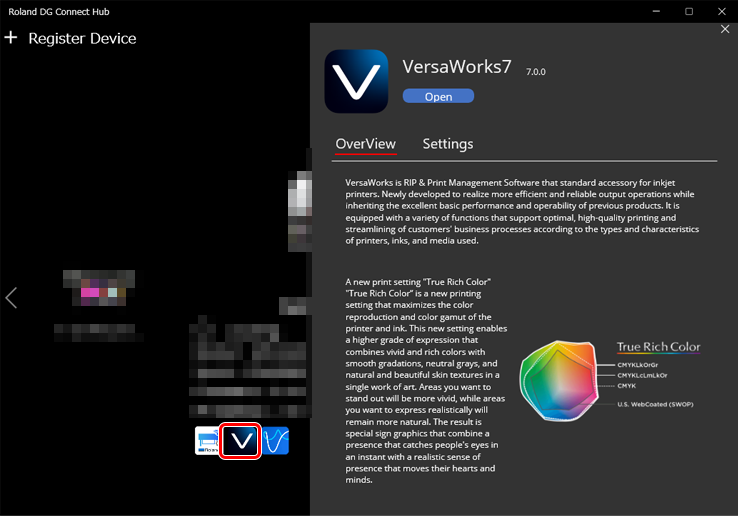
- Click Install.
After installation completes, click
to start VersaWorks.