Turning the Power Off
IMPORTANT
Check the following before turning off the power.
- Printing has been completed.
- The print-head carriage has returned to the maintenance station.
- No error message is displayed in PrintExp.
- The [Main Power of Flatbed Vacuum] button is off.
Procedure
- Exit PrintExp.
-
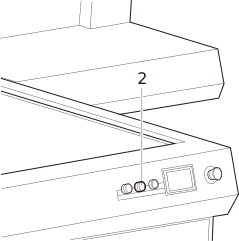
Press the [Off] button (2) on the front of the machine.
The sub power switches off and the lamp turns off.