
Mac
This manual contains operation explanations for the following versions. Operations and names may vary depending on the version and build of the OS.
macOS: 15.1
Procedure
- Log on to the Mac as the "Administrator."
- From the Apple menu, click System Settings....
- Click or the network name (when using Ethernet).
- Click Details....
- Click TCP/IP.
- Select Using DHCP for Configure IPv4.
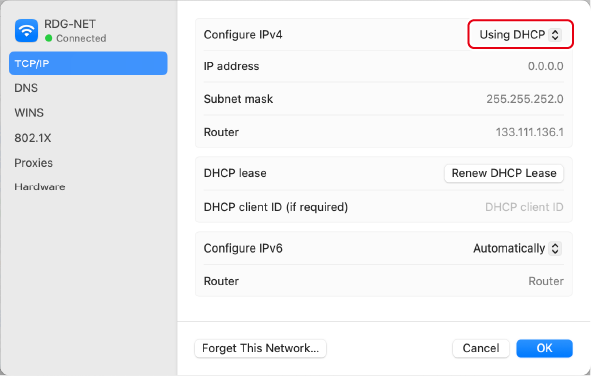
- Click OK.