
Step 3: Secure the print heads in place using the retainer.
Procedure
-
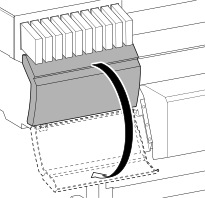
Open the left cover.
-
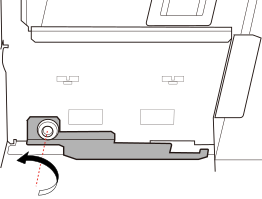
Remove retainer C.
- Open the front cover.
-
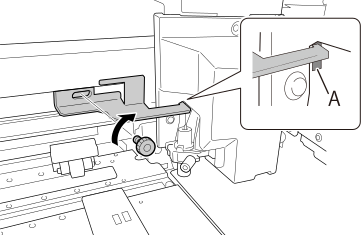
Hook the removed retainer C into hole A, then fasten with a screw at the position shown in the figure to fasten the cutting carriage in place.
- Close the front and left covers.