Window Layout
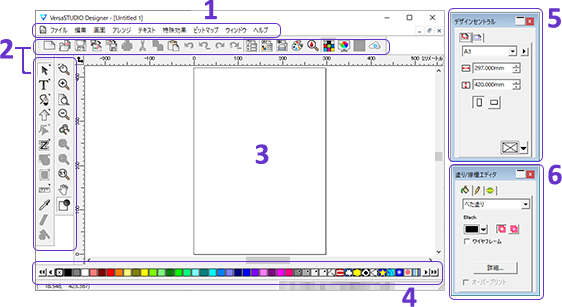
- : Menu bar
-
Executes or sets various functions.
- : Standard toolbar/main toolbar/display toolbar
-
Executes functions assigned to the buttons.
Click a button, and then perform the operation. Or, select the target object, and then click a button.
If a button has a triangle mark in its upper-right corner, hold down the button to display additional buttons.

- : Design area
-
Use this area to create the output data by adding shapes and text.
- : Swatch table
-
Applies predefined colors and patterns to objects.
- : Design central
-
Specifies the position, size, etc. of the selected object as values.
The settable details vary depending on the object.

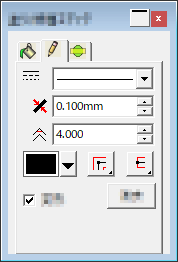
- : Fill/line type editor
-
Specifies the fill, line, etc. of the selected object.
The settable details vary depending on the object.