
Powerful Cleaning Method
Powerful Cleaning is more forceful cleaning that consumes more ink than Medium Cleaning.
- Set up the media.
-
Tap
 .
.
- Tap Powerful Cleaning.
-
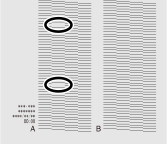
Check for the group with dot drop-out or dot displacement by viewing the results of the printing test.
The space from "A" to "B" is group A. The space from "B" to the right side is group B.
MEMOIf the printing-test results are difficult to interpret
Check the results in a bright location, changing your line of vision. They are visible using the reflection of the light.
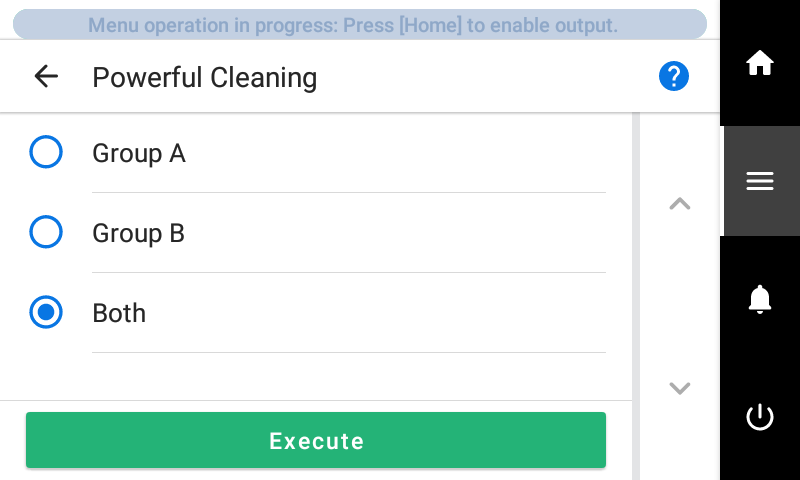
- Tap Execute.
Cleaning will start. The status is displayed as Powerful cleaning in progress. at the top of the operation panel.
On completion, you will return to the original screen.
- Tap
 .
. - Tap Printing Test.
- Select Nozzle Drop-out Test and tap Execute.Perform a printing test again to check whether the dot drop-out and dot displacement have been corrected.MEMO
Depending on the color of the media used, it may be difficult to check the white ink test pattern.
Select Nozzle Drop-out Test (Base: Black) to make the base of the white ink black, making it easier to check the white ink.
If you are not using white ink, the base will not become black even if you select Nozzle Drop-out Test (Base: Black).MEMO-
If the problem persists, try performing Powerful Cleaning again.
-
If problems such as dot drop-out and dot displacement persist even after you have performed Powerful Cleaning several times, perform Manual Cleaning.
-