Setting the Current Date/Time and Using It for Maintenance
Set the current date/time. By setting this, when you perform a printing test the printing test date and time will be printed alongside the printed test pattern. When the message "TIME FOR MAINTENANCE" is displayed, the date/time of the previous manual cleaning will be displayed. When this message is displayed, perform manual cleaning.
Press MENU.
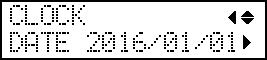
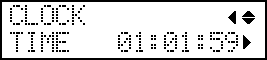
Press ▼ several times to display the screen shown below.
Press ▶ once, and then press ▼ several times to display the screen shown below.