This loads a saved preset from among the eight types of presets. If you load a preset while SETUP is lit, SETUP flashes. After that, when the setup operation is complete, SETUP returns to being lit.
Press MENU.
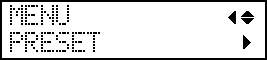
Press ▼ to display the screen shown below.
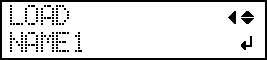
Press ▶, then ▼▶ to display the screen shown below.
Select the preset that you want to load.
Press ▲ or ▼ to select the name of the preset you want to load.