
Maintenance
Use this to replace consumable parts and perform other maintenance.
Click  to view a related video. We recommend that you view this video to understand the overall flow of work.
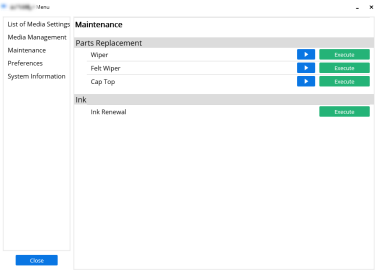
Parts Replacement
Wiper
Click Execute to switch to Wiper Replacement execution window. Follow the on-screen instructions to replace the wiper.
Felt Wiper
Click Execute to switch to Felt Wiper Replacement execution window. Follow the on-screen instructions to replace the felt wiper.
Cap Top
Click Execute to switch to Cap Top Replacement execution window. Follow the on-screen instructions to replace the cap top.
Ink
Ink Renewal
When dot drop-out and dot displacement are not corrected, replace (renew) the ink. Click Execute to start Ink Renewal.