
Composition and Role of Software Used in the Machine
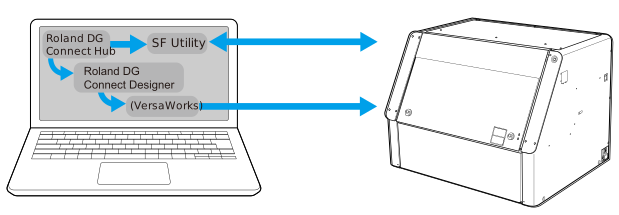
The machine is operated by Utility, which is started from the Roland DG Connect Hub. Creation of print data, processing (resizing, decorations such as text and pattern), detailed settings, and printing are performed using Roland DG Connect Designer, but the actual print data is generated using VersaWorks.
Composition
- Setting and adjustment functions
- Management of ink remaining amount
- Maintenance function
- Display of messages and error messages
This software handles everything from the creation of print data to printing.
This software converts print data into data that can be printed using a printer.
When printing from Connect Designer, you also have to start VersaWorks, but when printing from Connect Designer, this software is not operated directly. However, since VersaWorks is generating the print data, it should be left running when printing.
When print data is created by utilizing existing data (.ai, .pdf, etc.) or by using commercially available application software *2, VersaWorks is used to make the necessary settings for printing, and then perform printing.