
Medium Cleaning Method
The print heads are important components that discharge ink. They require periodic and appropriate maintenance. When problems such as dot drop-out are not resolved by Normal Cleaning, perform the more forceful Medium Cleaning to remove clogging from the print heads.
Medium Cleaning is more forceful cleaning that consumes more ink than Normal Cleaning.
-
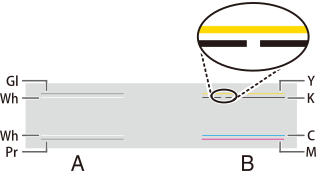
Check for the group with dot drop-out or dot displacement by viewing the results of the printing test.
The gloss, white, and primer strokes are in Group A, and the yellow, black, cyan, and magenta strokes are in Group B.
MEMOIf the printing-test results are difficult to interpret
Try changing the test paper color, or check the results in a bright location while changing your line of vision. They are visible using the reflection of the light.
-
Tap
 on the operation panel.
-
Tap .
The screen shown below appears.
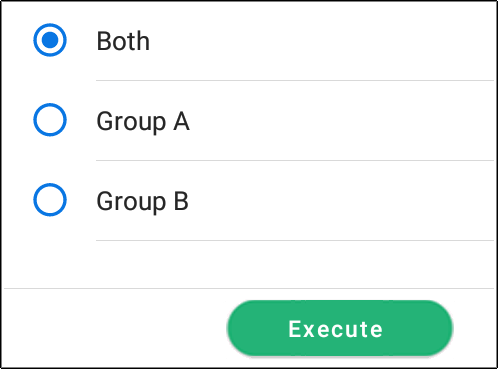
- Select the group of print heads to clean.
- Tap Execute.
Cleaning will start. The details of the operation in progress and the (approximate) remaining time of that work are displayed in the status bar at the top of the screen.
When the work is finished, the status bar returns to its original display.
-
Tap
 .
.
- Tap Printing Test.
-
Tap Execute.
Perform a printing test again to check whether the dot drop-out and dot displacement have been corrected.MEMO
-
If the problem persists, try performing Medium Cleaning again.
-
If problems such as dot drop-out and dot displacement persist even after you have performed Medium Cleaning several times, perform Powerful Cleaning.
-