
Pressing the Emergency Stop Buttons
These buttons are used to immediately stop the machine's operation in the event of an unintended movement of the machine due to an incorrect operation, etc. As an example, assume that the front cover is open so a worker can perform operations on the machine. Pressing one of these buttons in the event of unexpected machine operation eliminates the hazards presented by such a situation.
Procedure
-
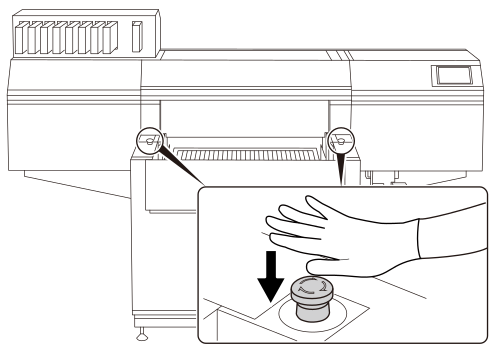
Press one of the buttons shown in the figure.
"Fatal Error" is displayed in the screen, and all operations of the machine are immediately stopped. If the print heads are stopped in a position where they are disengaged from the print head caps, turn the power back on within 10 minutes to prevent them from drying out.
-
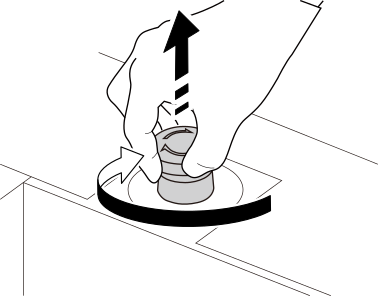
After confirming that it is safe to restart operation, turn the part shown in the figure clockwise.
If the button is pulled out toward you, it is released.
- Switch the sub power off and back on.