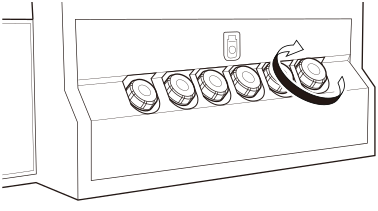
Refilling Inks
A warning beep is sounded when the amount of ink remaining in the ink tank becomes low. Prepare an ink refill to refill the tank with ink.
The warning beep stops when the tank is refilled with ink or the Stir button is pressed.
Do not mix ink with any materials for which mixing is prohibited.
Be careful not to spill ink. Prevent inks from draining to natural water systems and domestic wastewater.
Inks are highly irritating or toxic.
Be sure to put on protective gloves and UV protective eyewear before performing this work.
Ink may drop or scatter.
- Do not refill the tank with ink during printing because the gantry may move and come into contact with the operator. Do not place caps or related items on the table.
- Use an industrial waste disposal service to dispose of used ink bottles.
The remaining amounts of inks are indicated on the display on the front of the machine.
The graduations indicate the amount of ink. A large number of graduations shows a larger amount of remaining ink. The displayed amount of remaining ink is just a guide. It may differ somewhat from the actual amount remaining.
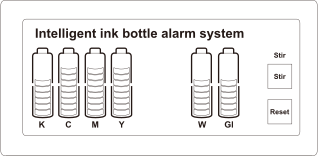
| Graduation color | Amount of remaining ink (approximate) |
|---|---|
| Green | 40 to 100% |
| Yellow | 20 to 40% |
| Red | 0 to 20% |
When the ink concentration becomes low, press the [Reset] button to circulate the ink.
-
Check the ink tank and alarm display to find the inks that need to be refilled.
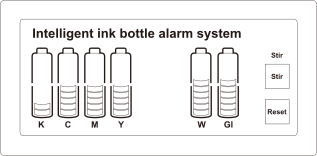
-
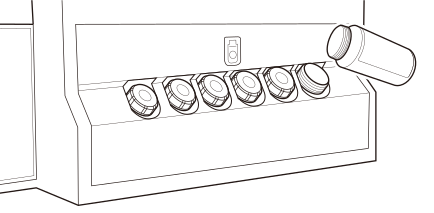
Remove the cap from an ink tank that needs refilling.
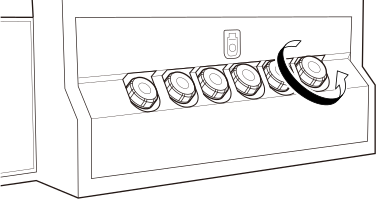
- After checking that the cap is tightened on the refill ink bottle, shake the bottle.
-
Remove the cap from the refill ink bottle and refill the tank with the ink.
IMPORTANT
- Pour the ink without spilling it. If the ink is spilled, wipe it off immediately with a dry cloth.
- The warning beep stops when the tank is filled with the ink. Do not leave any ink in the refill ink bottle.
-
Tighten the cap on the ink tank.