
When using the VG4-640/540, XG-640, XP-640, or VG3-640/540
Procedure
-
Set up the media.
See the user's manual of the printer you are using.
-
Tap the following location on the home screen.
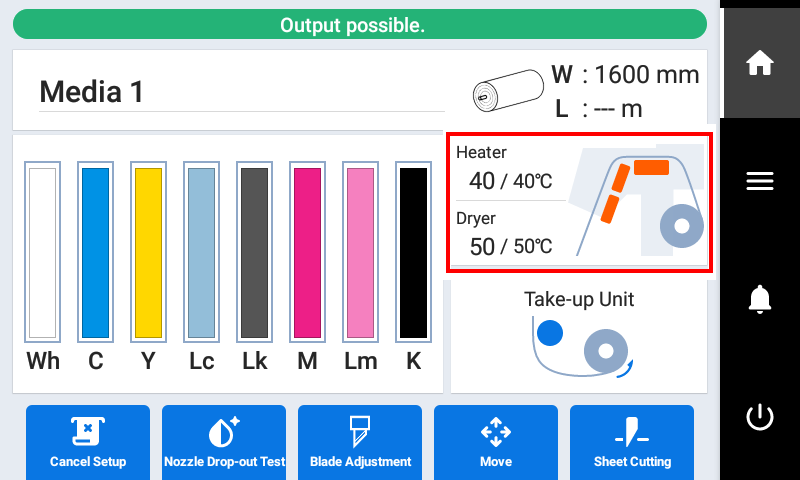
The Heater Temperature screen appears. -
Check that the Heater Power is turned on.
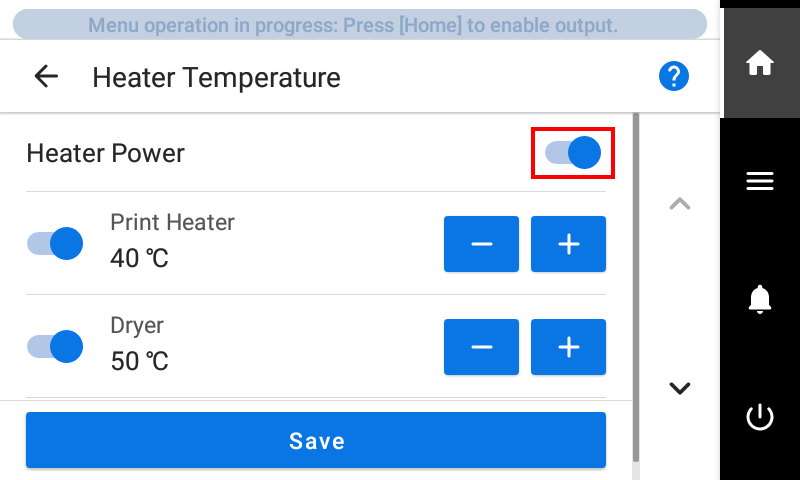
-
Tap
 or
or  next to Dryer to set the temperature.
- Tap Save.
-
Tap
 to return to the home screen.