Installing the Media Shaft
Procedure
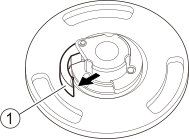
- Open the lock lever () on the left media flange in the direction of the arrow to release the lock.
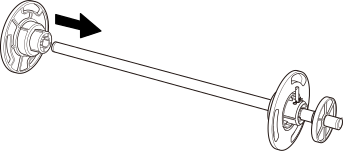
- Attach the left media flange to the media shaft.
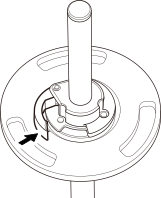
- Secure the left media flange in place.
Close the lock lever in the direction of the arrow to secure the left media flange in place.
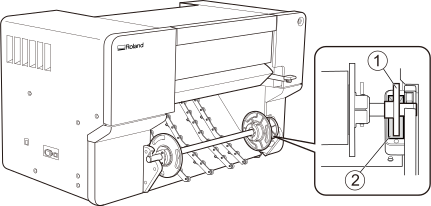
- Load the media shaft on the printer.
- Align the stopper () with the guide ().
- Press the left and right ends of the media shaft into the shaft holder until you hear a click.