Print Parameters (Designer)
Selecting different options for the Media Type and Mode print parameters allows for different types of printing. These different types are listed below.
Ink type: Five colors (cyan, magenta, yellow, black, and white) and primer
| Media Type | Quality | Mode | Description |
|---|---|---|---|
| General |
High Quality Standard High Speed |
CMYK White->CMYK CMYK->White White |
This is used for general objects or an object that has a smooth print surface. |
| Text Decoration |
Standard*1 High Speed |
CMYK White->CMYK CMYK->White White |
Suitable for simple printing, such as initials or shapes in a single point, or printing on a small area. |
| Generic Distance |
Standard*1 High Speed |
CMYK White->CMYK CMYK->White White |
Used for objects with a print surface that is 2 mm (0.08 in.) or more uneven or spherical in shape. Printing time is longer compared to General. |
| Generic with Primer |
High Quality Standard*1 High Speed |
Primer->CMYK Primer->White->CMYK Primer->CMYK->White Primer->White |
Used for printing primer under General. |
| Text Decoration with Primer |
Standard*1 High Speed |
Primer->CMYK Primer->White->CMYK Primer->CMYK->White Primer->White |
Used for printing primer under Text Decoration. |
| Generic Distance with Primer |
Standard*1 High Speed |
Primer->CMYK Primer->White->CMYK Primer->CMYK->White Primer->White |
Used for printing primer under Generic Distance. Printing time is longer compared to Generic with Primer. |
Ink type: Five colors (cyan, magenta, yellow, black, and white) and gloss
| Media Type | Quality | Mode | Description |
|---|---|---|---|
| General |
High Quality Standard High Speed |
CMYK White->CMYK CMYK->White White |
This is used for general objects or an object that has a smooth print surface. |
| Text Decoration |
Standard*2 High Speed |
CMYK White->CMYK CMYK->White White |
Suitable for simple printing, such as initials or shapes in a single point, or printing on a small area. |
| Generic Distance |
Standard*2 High Speed |
CMYK White->CMYK CMYK->White White |
Used for objects with a print surface that is 2 mm (0.08 in.) or more uneven or spherical in shape. Printing time is longer compared to General. |
| Generic with Special Effects |
High Quality Standard*2 High Speed |
CMYK->MatteVarnish MatteVarnish->CMYK |
Used for printing gloss on General. |
| Text Decoration with Special Effects |
Standard*2 High Speed |
CMYK->MatteVarnish MatteVarnish->CMYK |
Used for printing gloss on Text Decoration. |
| Text Distance with Special Effects |
Standard*2 High Speed |
CMYK->MatteVarnish MatteVarnish->CMYK |
Used for printing gloss on Generic Distance. Printing time is longer compared to Generic with Special Effects. |
| Special Effects |
High Quality Standard*2 High Speed |
GlossVarnish MatteVarnish Embossing |
Used for printing gloss on already printed objects. |
Examples of Media Type and Mode selection
|
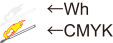
When Printing CMYK on Wh Select General and Wh->CMYK. |
|
|
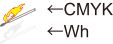
When Printing Wh on CMYK Select General and CMYK->Wh. |
|
|
When Printing CMYK on Pr Select Generic with Primer and Pr->CMYK. |

|
|
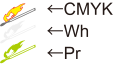
When Printing Wh and CMYK on Pr Select Generic with Primer and Pr->Wh->CMYK. |
|
|
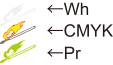
When Printing CMYK and Wh on Pr Select Generic with Primer and Pr->CMYK->Wh. |
|
|
When Printing GI on CMYK Select Generic with Special Effects and CMYK->MatteVarnish. |

|
|
When Printing CMYK on GI Select Generic with Special Effects and MatteVarnish->CMYK. |

|