
Switching Off the Print Heater
Procedure
-
Tap
 .
The home screen appears.
.
The home screen appears. -
Tap the part enclosed in a square in the following figure.
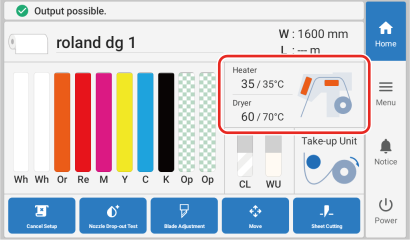
-
Switch off Print Heater.
Tap
 to set it to
  (off).
If it is already off, skip this step and proceed to the next one.
- Tap Save.
-
Tap .
The home screen appears.