
Installing the Cutting Tool
Procedure
-
Tap
 .
.
- Tap .
- Tap Execute.The cutting carriage moves to a position where the blade can be installed.
- When the message Open the front cover. appears on the screen, open the front cover.
-
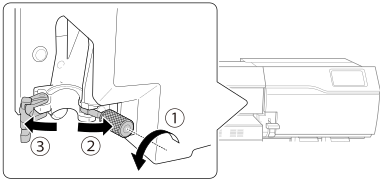
Loosen the cutting carriage screw, and then open the retaining section horizontally.
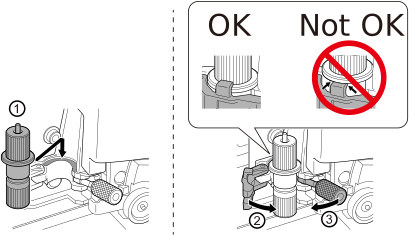
- Install the cutting tool in the cutting carriage.
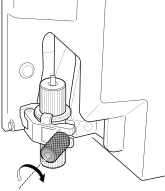
- Tighten the screw.
- Close the front cover.
- Tap Finish All.This completes the installation of the cutting tool.